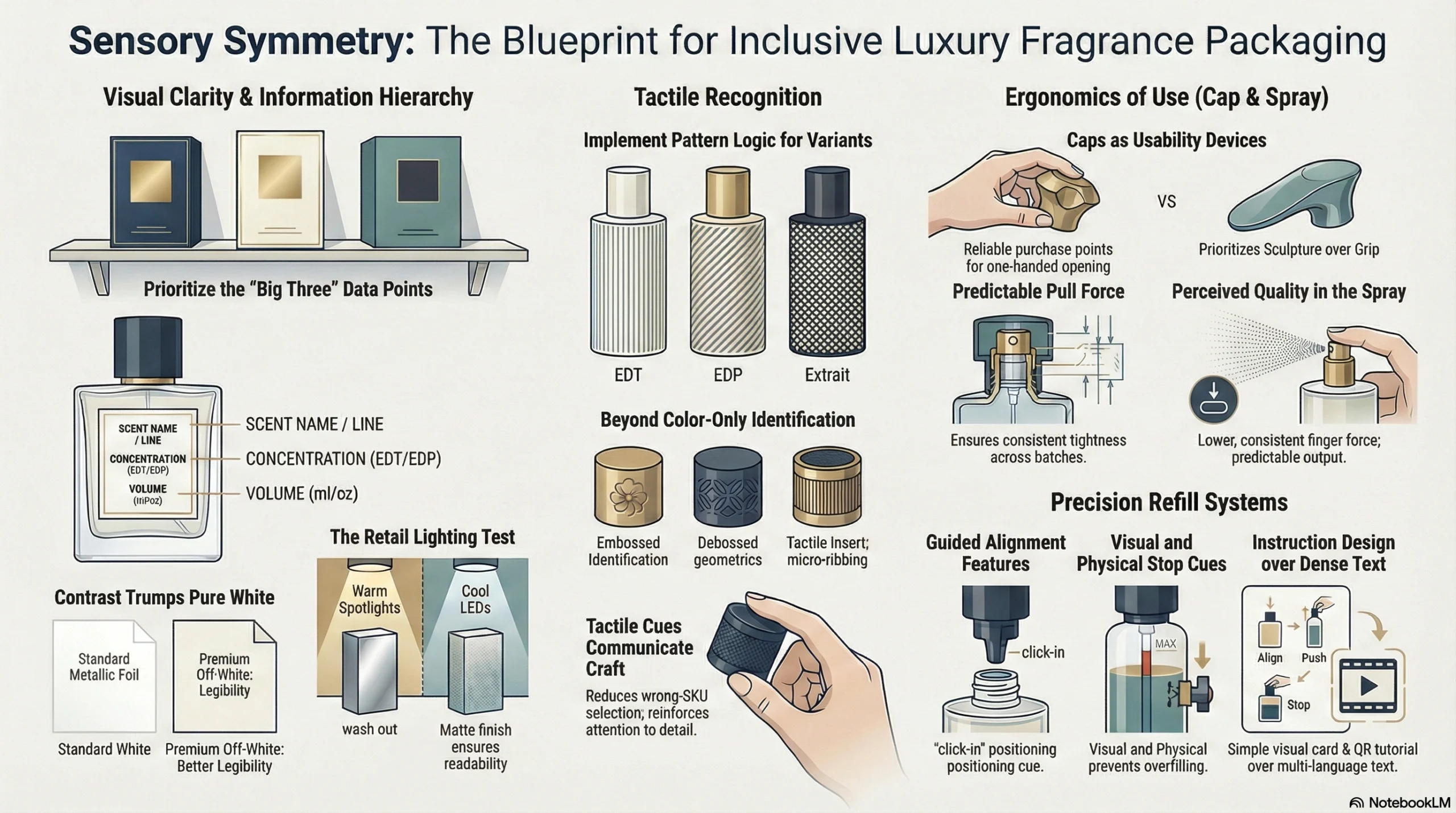
You are launching a seasonal fragrance campaign in less than forty-eight hours, and the email marketing assets are still not ready. The traditional product photoshoots ran over budget, the stock images look painfully generic, and the initial AI-generated drafts have distorted glass bottles and garbled label text. In the highly competitive world of fragrance ecommerce, where consumers cannot smell the product, visual storytelling is your only sales tool. The bottleneck is no longer about finding creative concepts; it is about executing high-fidelity, on-brand visuals at the speed of digital retail.
To solve this, modern digital marketers are leveraging the advanced capabilities of gpt image 2 to generate production-grade visual assets. Unlike generic design tools, this model provides the control needed to render intricate glass details, realistic liquid textures, and crisp, readable label typography. By utilizing gpt image 2, fragrance brands can transform their email campaigns from simple promotional messages into immersive sensory experiences that drive clicks and conversions.
The Fragrance Dilemma: Why Visual Storytelling Dictates Email Performance
For fragrance brands, email marketing is a primary driver of repeat purchases and customer lifetime value. However, designing high-converting email headers and newsletter banners poses unique challenges. Because scent is invisible, the visual presentation must evoke the olfactory notes of the perfume—whether it is the crisp freshness of citrus or the warm depth of sandalwood.
Traditional product photography requires shipping physical bottles to studios, setting up complex lighting to capture glass reflections, and spending hours in post-production. When a brand needs to update its email marketing visuals for a flash sale or a localized holiday campaign, this process is too slow and expensive.
While AI image generation has promised a solution, early models frequently failed. They struggled with two critical elements of fragrance packaging: light refraction through glass and label readability. A perfume bottle with distorted symmetry or a label featuring gibberish text destroys consumer trust immediately. This is why the precision of gpt image 2 is a game-changer for ecommerce design workflows.
How gpt image 2 Solves the Fragrance Design Challenge
Released as a native capability within the ChatGPT ecosystem, gpt image 2 represents a major leap forward from previous generation models. It addresses the exact pain points that fragrance brands face when creating digital marketing assets.
First, its text rendering capabilities are unmatched. With an accuracy rate exceeding 95%, the model can render clean, legible brand names and product descriptions directly onto the generated perfume bottles or background graphics. This eliminates the need for designers to manually overlay text in external editing software, saving hours of production time.
Second, gpt image 2 offers exceptional photorealism and control over lighting. The model understands how light interacts with transparent surfaces, allowing it to generate realistic glass bottles with accurate shadows, refractions, and liquid colors. Whether you need a sleek, minimalist bottle for a modern fragrance or an ornate crystal decanter for a luxury scent, the generator captures the material properties with high fidelity.
Third, the model supports flexible aspect ratios from 3:1 to 1:3 and native resolutions up to 2K. This means you can generate a wide banner for a desktop newsletter or a vertical image for mobile-optimized email campaigns using gpt image 2 without losing detail or cropping out key design elements.
The Step-by-Step Workflow for Fragrance Email Visuals
To get the most out of gpt image 2, brands should follow a structured content production workflow. This ensures that every generated asset aligns with the brand’s visual identity and meets the technical requirements of modern email clients.
Step 1: Define the Creative Brief and Scent Profile
Before prompting gpt image 2, outline the visual elements that represent the fragrance’s scent profile. For example, if the perfume features top notes of lavender and vanilla, the visual setting should incorporate these raw ingredients naturally.
Step 2: Generate the Core Product Asset
Start by generating the perfume bottle itself. Use descriptive prompts that specify the bottle shape, cap material, glass color, and label text. Ensure you describe the lighting environment—such as soft morning light or dramatic studio spotlights—to set the right mood.
Step 3: Refine the Composition with Image-to-Image Editing
Once you have a base image, use the image-to-image editing capabilities of gpt image 2 to adjust specific areas. For example, you can ask the model to “add fresh lavender stems to the left of the bottle” or “change the background color to a soft pastel lavender.” This allows you to build a cohesive scene without altering the design of the bottle itself.
Step 4: Adapt the Layout for Different Email Modules
Use the flexible aspect ratio controls in gpt image 2 to output variations of the final design. Generate a 16:9 landscape banner for the email header, a 1:1 square image for product recommendation modules, and a 9:16 vertical graphic for mobile-focused cart abandonment emails.
Scaling Batch Production with pikvee
While generating individual images is straightforward, scaling this process for dozens of seasonal campaigns or product variations requires a platform designed for production. This is where pikvee becomes essential. By integrating pikvee into your design stack, you can streamline the management of your gpt image 2 workflows.
The platform allows marketing teams to save and organize successful prompt structures for gpt image 2, ensuring consistency across different campaigns. Instead of starting from scratch for every email newsletter, designers can use pikvee to swap out product names, background ingredients, or color palettes while maintaining the core bottle structure and lighting setup.
Furthermore, using this integration helps bridge the gap between creative generation and final asset deployment. Teams can quickly review variations generated by gpt image 2, apply brand-specific filters, and export the optimized files directly to their email marketing platforms. This integration reduces the time-to-market for new campaigns from days to minutes.
The Visual Quality Control Checklist for Fragrance Campaigns
Before publishing any AI-generated graphics in your email campaigns, it is critical to run them through a rigorous quality control check. Use this checklist to ensure your gpt image 2 outputs meet professional standards:
- Label Readability: Check if the final output respects label readability. Is the text on the bottle label sharp, correctly spelled, and legible at small screen sizes?
- Brand Color Consistency: Do the colors in the image match your brand’s official color palette?
- Light and Shadow Realism: Does the light refraction through the glass bottle look natural, and are the shadows consistent with the light source?
- Background Clutter: Ensure the generated image does not contain distracting background artifacts that pull attention away from the product.
- Aspect Ratio Alignment: Is the composition optimized for the specific email module where it will be placed?
Optimized Prompt Templates for Luxury Aesthetics
To achieve the best results with gpt image 2, your prompts must be specific and structured. Avoid vague descriptions like “a beautiful perfume bottle.” Instead, use this structured template:
[Product Type] of a [Bottle Description] with a [Cap Style] cap, sitting on a [Surface Material] surrounded by [Scent Ingredients]. The lighting is [Lighting Style], creating a [Mood] atmosphere. The label on the bottle reads “[Exact Brand/Product Text]” in a clean [Font Style] typography.
Here is an executable prompt example you can copy and paste into gpt image 2:
Product photography of a minimalist rectangular glass perfume bottle with a matte black cap, sitting on a wet marble slab surrounded by fresh jasmine petals and vanilla pods. The lighting is soft morning light from the side, creating realistic refractions through the glass. The label on the bottle reads ‘Aura’ in a clean sans-serif typography. High-resolution, photorealistic, 2K.
This structure gives the model clear instructions on composition, materials, and text, resulting in a much more predictable and usable output.
Overcoming Common Pitfalls in AI Fragrance Design
When implementing gpt image 2 into your workflow, watch out for common mistakes that can lower the quality of your campaigns.
One major pitfall is treating gpt image 2 as a magic wand that requires no human oversight. Even though the model has advanced reasoning capabilities, it still benefits from human direction. Always review the alignment of the label text and the realism of the reflections.
Another error is over-complicating the prompts. Adding too many conflicting descriptions can confuse the model. Keep your prompts focused on the primary product and its immediate surroundings. If you need to add more details, do it incrementally using the image-to-image editing features of the generator.
Finally, do not rely solely on one output. Generate multiple variations using gpt image 2 and test which visual style performs best in your email marketing campaigns.
Conclusion
Visual storytelling is the cornerstone of successful fragrance ecommerce. By adopting a structured workflow with gpt image 2, fragrance brands can overcome the limitations of traditional photography and scale their email marketing visuals efficiently. Combined with the organizational power of pikvee, design teams can produce high-quality, high-click assets that capture the essence of their scents and drive measurable business growth. As gpt image 2 continues to evolve, brands that adopt these workflows early will maintain a significant creative advantage.